Installation on Linux / Windows
Prerequisites
Create a Discord Application
- go to the Discord Developer portal
- create a new application + bot
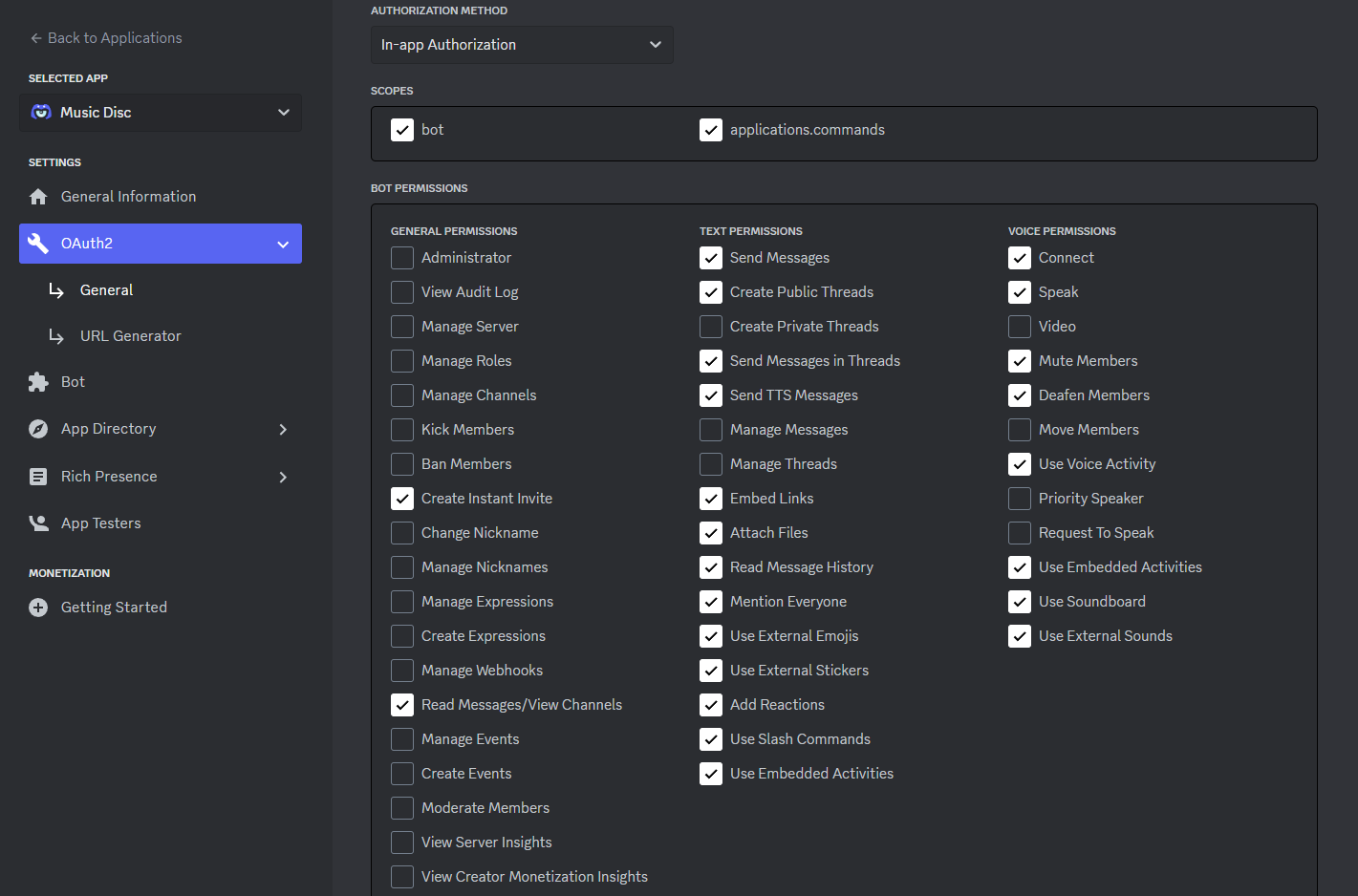
- create a bot invite link using it's client id here
- save the bot token for later
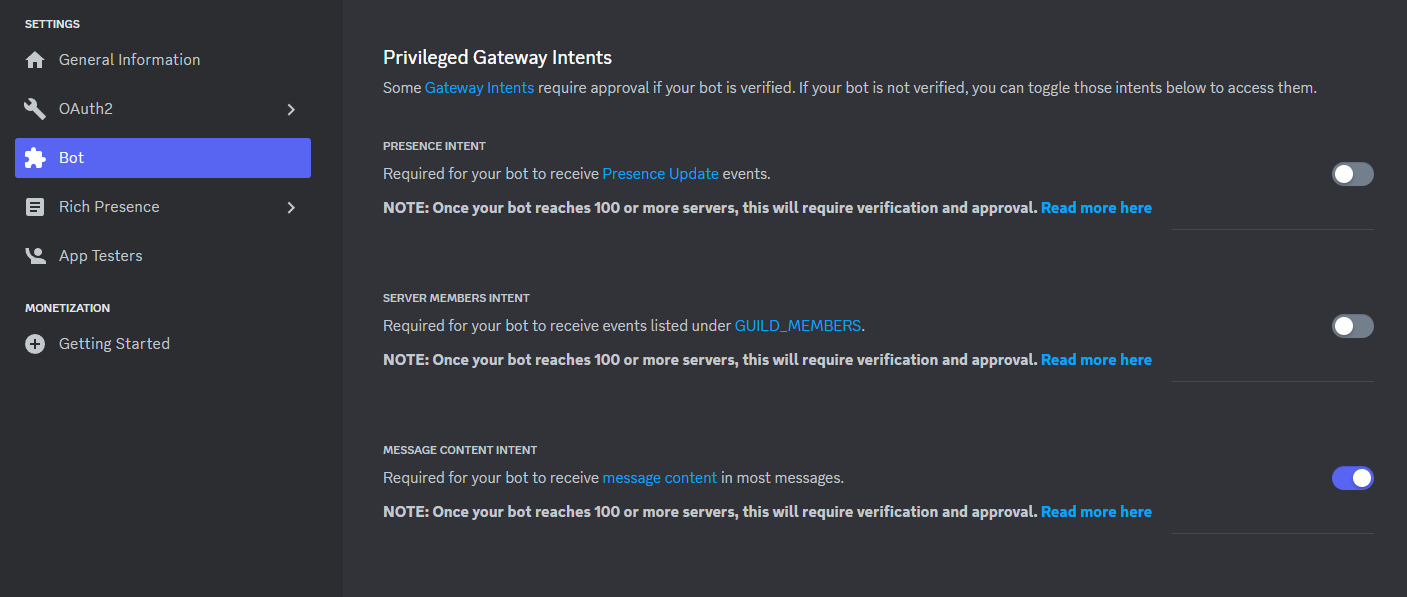
- Set the Privileged gateway intent to allow MESSAGE CONTENT INTENT
Install Node.js
- Node.js v22.12.0 or newer required
Installation
Clone repository
You can clone the latest version of the source code using this command:
git clone https://github.com/hmes98318/Music-Disc.git
or click here to download
Install the dependencies
Use this command to install all dependencies:
npm ci
Configure node
At least one Lavalink node is required to operate.
Edit the config.json file to add a Lavalink node.
- Use public node
- or self-hosted
- or enable local node setup
note
This bot only supports Lavalink v4 nodes.
v4.0.8 or higher is recommended.
You can refer to this document for detailed information.
nodeList: [
    {
        "id": "Node 1",
        "hostname": "localhost",
        "port": 2333,
        "password": "youshallnotpass"
    }
]
Configure Bot
Edit the .env file to set the bot token.
# Discord Bot Token
BOT_TOKEN = "your_token"
Edit config.js to configure other parameters of the bot.
Start the Bot
Running the script
npm run start
Running with pm2
If you are using the PM2 process manager to run this bot, please compile the source code using this command first.
npm run build
After compiling, use this command to start the bot.
pm2 start ./dist/src/index.js --name "Music-Disc"